Find a design that fits your business.
Explore three working websites, then tell us what would make one yours.
These are demonstration sites with fictional people and businesses, not customer case studies. The previews use mortgage content. Your demo will reflect your real services, branding and approved business details.
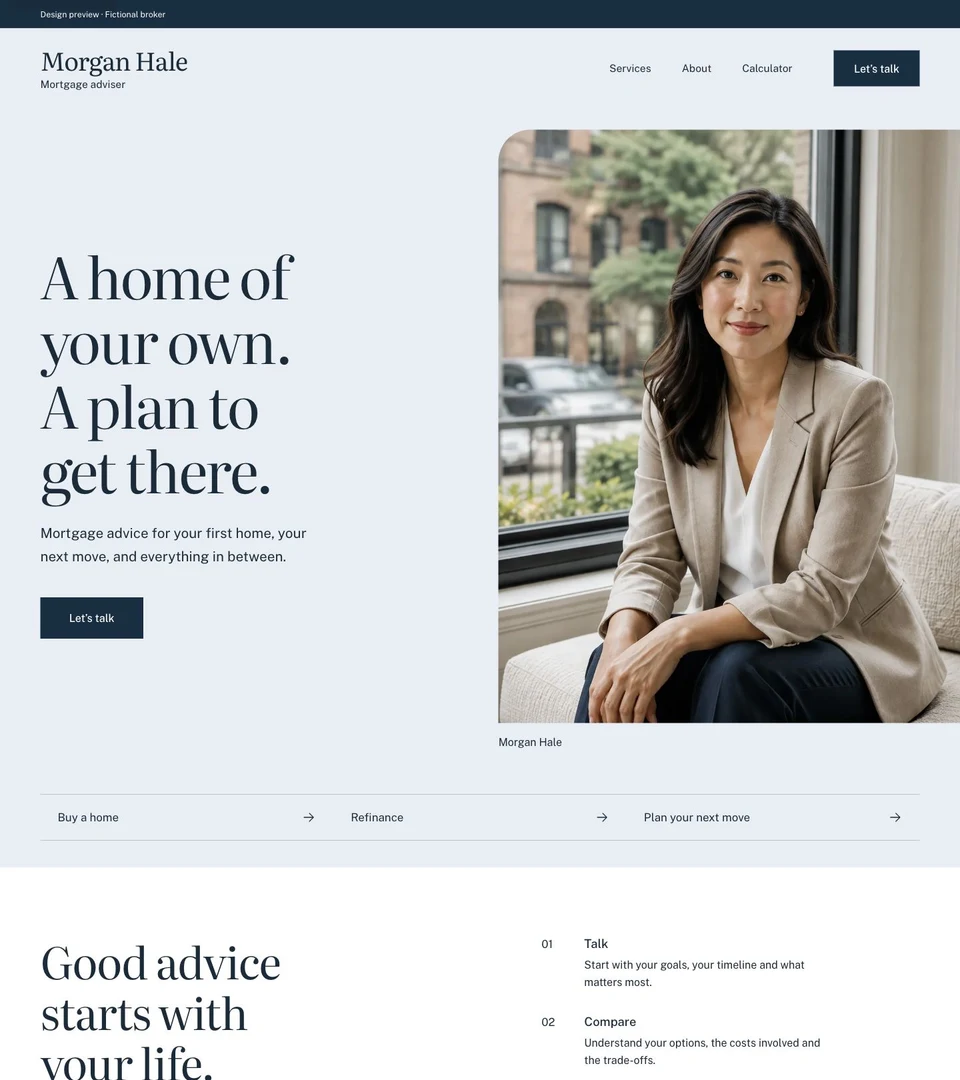
The Adviser
Put the person before the product.
A large portrait and an uncluttered opening introduce the adviser first. Separate service links give visitors a next step without asking them to read the whole site.
Look at the portrait, the short introduction and the service links below it.
Open working previewRequest this design with your branding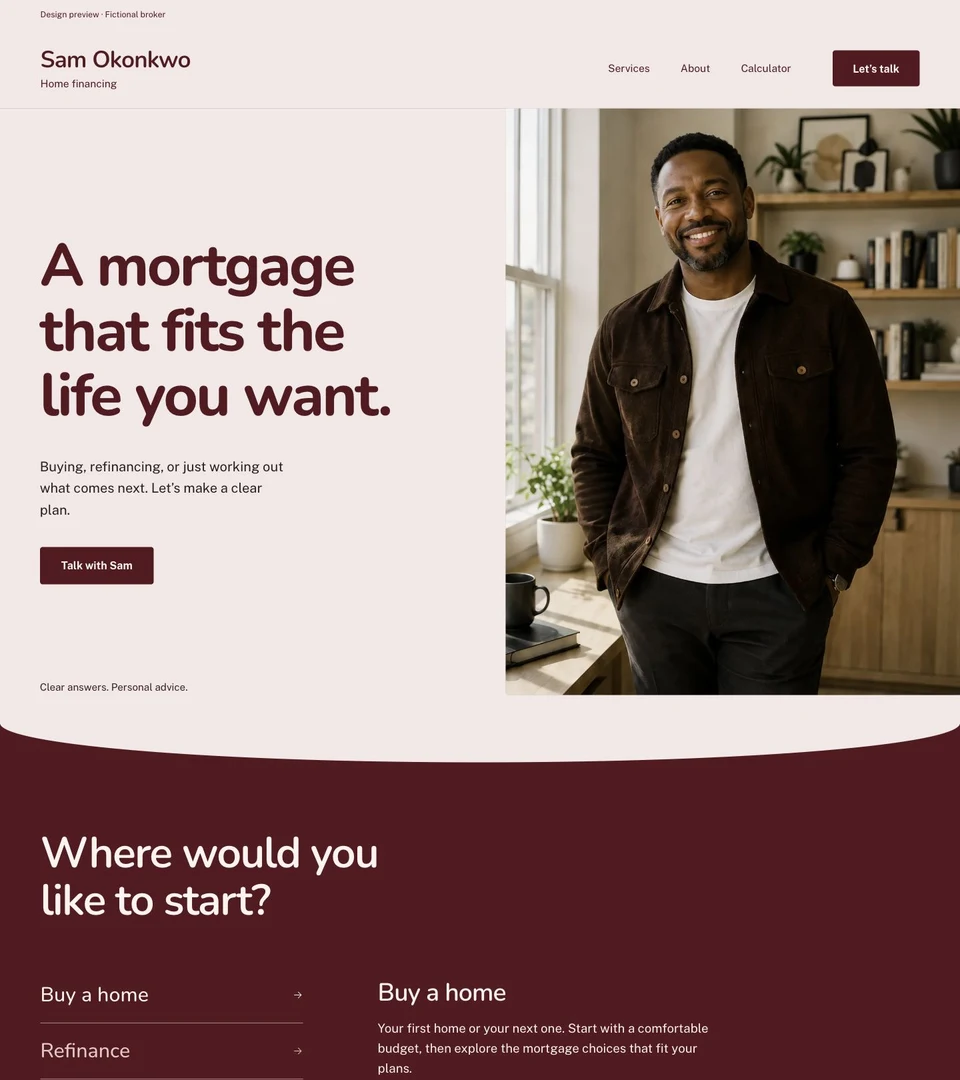
The Neighbour
Make the first conversation feel approachable.
Warm photography and rounded headings give the design a less formal tone. The contact action stays easy to find as visitors move from the introduction to services.
Look at the welcoming introduction, approachable typography and contact placement.
Open working previewRequest this design with your branding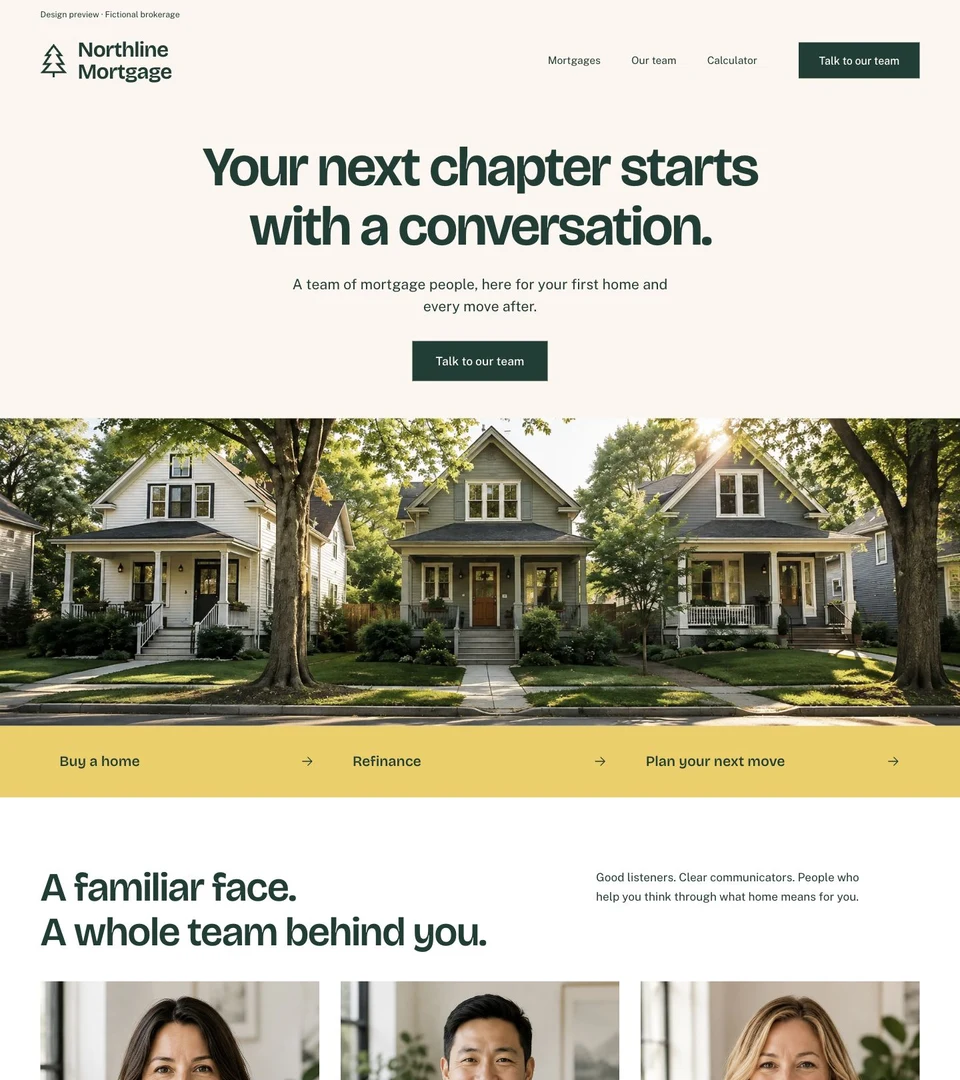
The Team
Introduce a shared brand.
The stronger team identity gives a brokerage a different starting point from a solo adviser’s portrait. Use the preview to discuss how people, services and enquiries should be organised.
Look at the shared identity and navigation. Confirm your team structure and contact handling in your demo request.
Open working previewRequest this design with your brandingDecide what your website needs to do.
Start with your audience, your services and who should receive an enquiry. Use your demo request to confirm the scope, especially for team sites and integrations.
- Websites for mortgage brokers and loan officers
- Websites for real estate agents and teams
- Prepare your website planning checklist
- See website pricing
Already have a website? Explore newsletters separately, or choose a combined plan.